Data Rollback Deployment
Backup · Match · Restore · Cleanup
A data-safety layer for Copado data deployments. Capture the target org’s before-state, let Copado deploy, then automatically restore or remove records when a promotion fails — with encrypted snapshots and clean teardown.
Safety around Copado data deployments
The Copado Data Deployment Backup and Rollback solution captures the existing target-org record state before deployment and restores or removes records when a deployment fails.
Copado remains responsible for the actual data deployment, execution, results, and governance. This accelerator adds backup, failure detection, rollback, and backup cleanup around that lifecycle.
Why teams use Data Rollback
Protect target data
Snapshot matching target-org records before a Copado data deployment so you always have a restore point.
Automatic recovery
When a deployment fails, successfully deployed rows are rolled back without a manual rebuild of the target org.
Smart record matching
Uses Copado Record Matching Formula configuration (and External ID) to locate the right target records.
Restore or delete
Existing records with snapshots are restored; newly created records without snapshots are removed.
Encrypted snapshots
Serialized before-state is encrypted before storage in Rollback_Snapshot__c and decrypted only for rollback.
Clean lifecycle
Temporary backup data is removed after successful deployment or successful rollback so orgs stay tidy.
Everything needed for safe data releases
From pre-deploy backup through failure detection and cleanup — built to sit alongside Copado’s data deployment path.
Pre-Deployment Backup
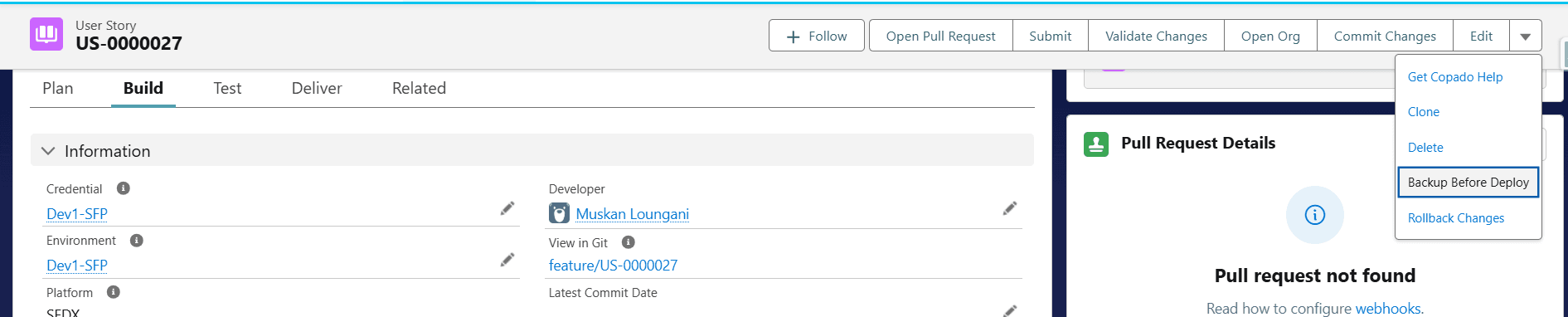
Identifies deployment data on the User Story and captures corresponding target-org record state before promote.
Record Matching Formula
Locates target records using Copado matching configuration so the right before-state is stored.
Rollback Snapshot
Stores User Story–linked snapshots with object API name, target record ID, and encrypted record data.
Snapshot Encryption
Encrypts snapshot payloads with a Custom Metadata encryption key before they land in Salesforce.
Failure Detection
Reads Copado deployment result CSVs and treats promotions with Error rows as failed.
Automatic Rollback
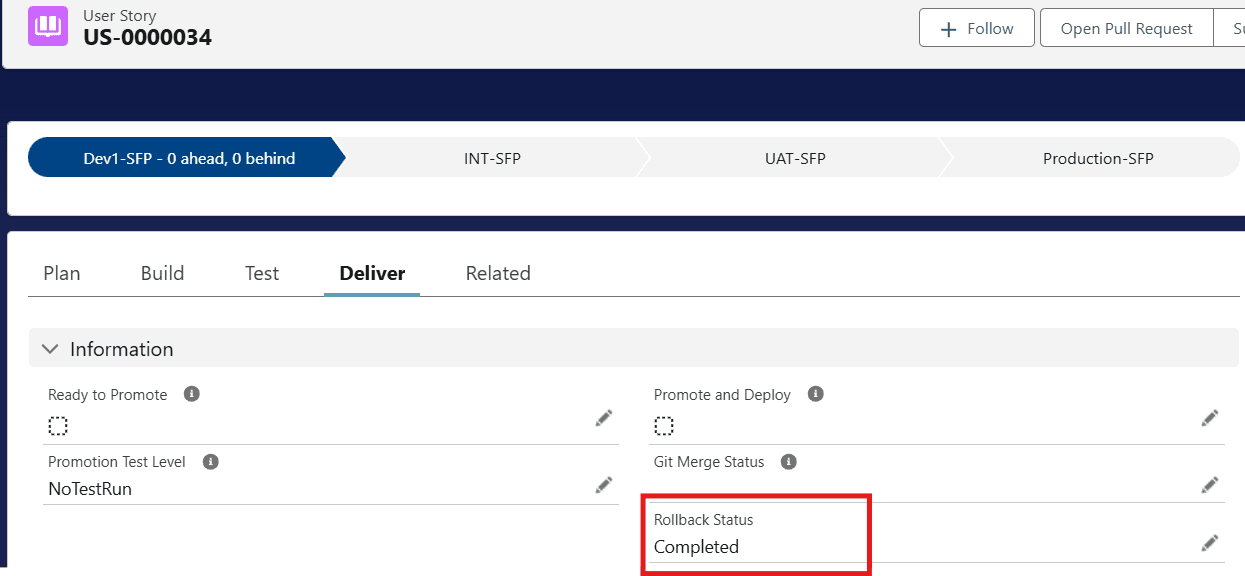
Starts RollbackBatch for successful destination IDs — restore from snapshot or delete new rows.
Backup Cleanup
Removes temporary snapshots after successful processing so completed cycles leave no obsolete data.
From backup to rollback
After one-time Named Credential and matching setup, every data release follows the same guarded path.
Setup once
Map each destination environment to a Named Credential via Rollback metadata and configure matching formulas.
Prepare data
Create the data template, select records, and commit them to the Copado User Story.
Run backup
DeploymentBackupBatch snapshots matching target records into encrypted Rollback_Snapshot__c rows.
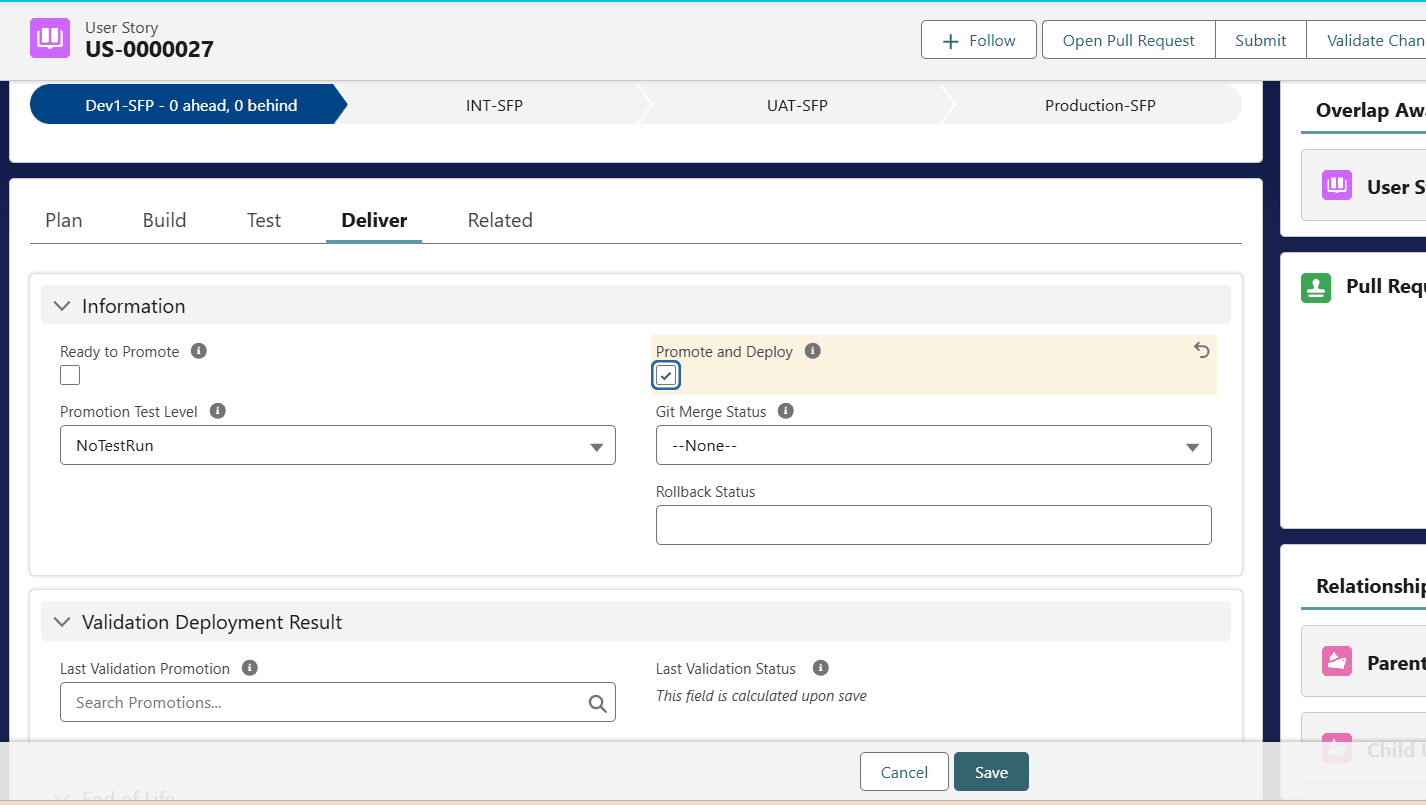
Promote & deploy
Copado moves the data to the next environment while the backup remains available.
Succeed or recover
On success, clean up the backup. On failure, restore snapshotted rows and delete newly created ones.
Cleanup
After a successful deploy or rollback, temporary snapshots are deleted from the User Story.

An integration layer around Copado data deploys
User Story → Backup Flow → DeploymentBackupBatch → Rollback_Snapshot__c → Copado Data Deployment → RollbackOnFailure → RollbackBatch → Target Salesforce Org. Copado still owns deployment execution and governance.
Encrypted snapshots. Copado stays authoritative.
Designed for least privilege, encrypted at-rest snapshot data, and Named Credential callouts — without replacing Copado deployment controls.
- Snapshot record data is encrypted before storage and decrypted only during rollback
- A single encryption-key metadata record must remain stable while snapshots may still be needed
- Target orgs are reached through Named Credentials — not ad-hoc credentials in code
- Does not bypass Copado authorization, approvals, or deployment governance
- Backup data is temporary and cleaned up after successful processing
- Processes only the deployment and matching data required for backup and recovery